
Locked out of your Nissan NV200 radio? This usually happens after a flat battery, a battery replacement, electrical work, or when the radio has been removed from the van. The good news is that most Nissan NV200 radios can be unlocked once you have the correct radio code and serial number.
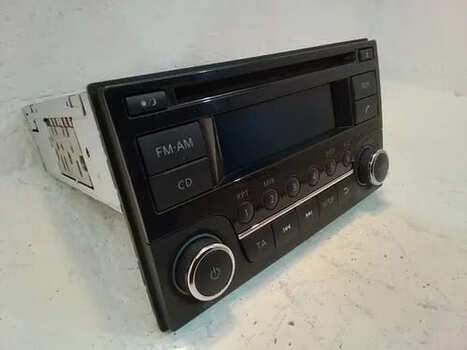
This guide explains why the radio asks for a code, how to find the serial number, and what to do if the code entry does not work the first time.
Looking for radio codes for other Nissan models? You may also need:
Why Does My Nissan NV200 Radio Need a Code?
Nissan radios use a security lock to help prevent theft. When the radio loses power, the unit may ask for a code before it starts working again. This can happen even if nothing is wrong with the radio itself.
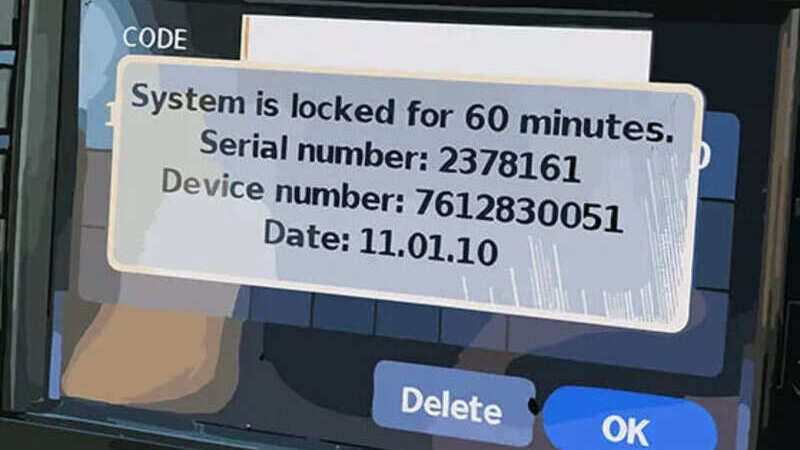
Common reasons your Nissan NV200 radio may lock:
- The battery was replaced or disconnected
- The van had electrical repairs
- The radio was removed or unplugged
- The vehicle was jump-started
- You bought the van second-hand and the radio code was missing
How to Find Your Nissan NV200 Radio Code
Important: Before trying to enter a code, make sure the ignition is switched on or in accessory mode.
Check Your Vehicle Documents
Start with the simple places first. The original radio code may be written on a small radio card, inside the owner’s manual, or somewhere in the vehicle document folder.
Find the Radio Serial Number
If the code is not in your documents, you will usually need the radio serial number. On some Nissan NV200 radios, the serial number can be shown on the display using a button combination.
- Turn the ignition on.
- Switch the radio on.
- Press and hold the correct radio buttons for your unit.
- Write down the full serial number exactly as shown.
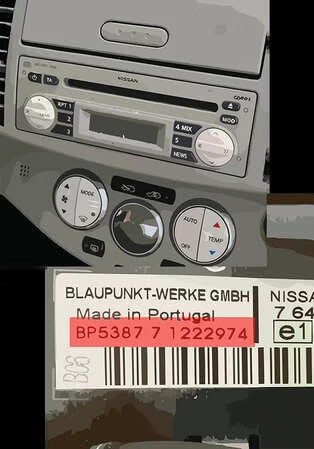
Some units may need to be removed from the dashboard to read the label on the radio casing. The serial number must be copied carefully, because one wrong digit can give the wrong code.
Ask a Nissan Dealer
A Nissan dealer may be able to provide the code, but they will normally ask for proof of ownership, vehicle details, VIN, and sometimes the radio serial number. In many cases, this also comes with a service fee.
Use an Online Radio Code Service
If you already have the radio serial number, an online service like RadioCodePro.com can help you get the correct Nissan radio code without waiting for a dealer appointment.
How to Enter Your Nissan NV200 Radio Code
Once you have the correct code, enter it carefully. The exact method depends on the radio model, but most Nissan radios follow a similar process.
- Turn the ignition on or use accessory mode.
- Switch on the radio.
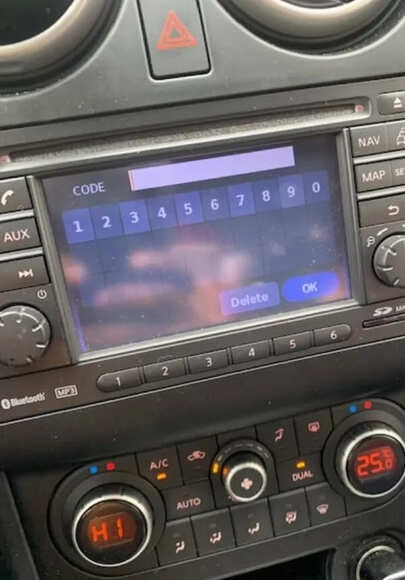
- When the display asks for the code, use the preset buttons to enter the digits.
- Confirm the code using the radio’s enter button, OK button, or by waiting a few seconds.
- If the code is correct, the radio should unlock and return to normal use.
Be careful: Many Nissan radios allow only a limited number of wrong attempts before locking temporarily.
Common Problems When Unlocking a Nissan NV200 Radio
The Code Does Not Work
If the code does not work, do not keep trying random numbers. First, check the serial number again and make sure the radio model matches the code you received.
- Check every digit of the serial number
- Make sure the code belongs to that exact radio
- Confirm the correct code entry method for your unit
The Radio Shows LOCK or a Countdown
This normally happens after several wrong attempts. Leave the ignition on and wait for the timer to finish before trying again.
You Cannot Find the Serial Number
If the serial number does not appear on the display, the radio may need to be removed so the label can be checked directly. This label usually contains the serial number, model number, part number, and other useful details.
Get Help With Your Nissan NV200 Radio Code
If your Nissan NV200 radio is locked and you have the serial number, you can use RadioCodePro.com to request the correct unlock code.
We also provide radio codes for other popular Nissan models: